
Photography Gear
Know what’s in
your camera bag.
A camera gear inventory starts with the kit you use. Give each piece a photo, keep the details you look up twice, and check your list before buying a duplicate.
Free to start · One-time Pro purchase · No subscription.
By Hoblio · Updated
Start with your everyday kit
One body. One lens. The small things.
Lay out the kit you normally carry. You do not need to catalog every cable on day one. Begin with a camera body, a lens, and the accessories you tend to forget.
- Give each piece its own entry. A lens and a camera body may have different purchase dates, prices, or service histories. Keep them separate.
- Add a recognizable photo and name. “Everyday zoom · 24–70 mm” is easier to identify later than “Lens 2.” Add the maker and model when useful.
- Write the details you actually need. A filter thread, mount, or battery model belongs in manual Notes. Leave anything you do not know blank until you check it.
This works in a notebook or spreadsheet too. Hoblio puts the photo, purchase details, use history, and connected Notes together on your phone.
Inside Hoblio
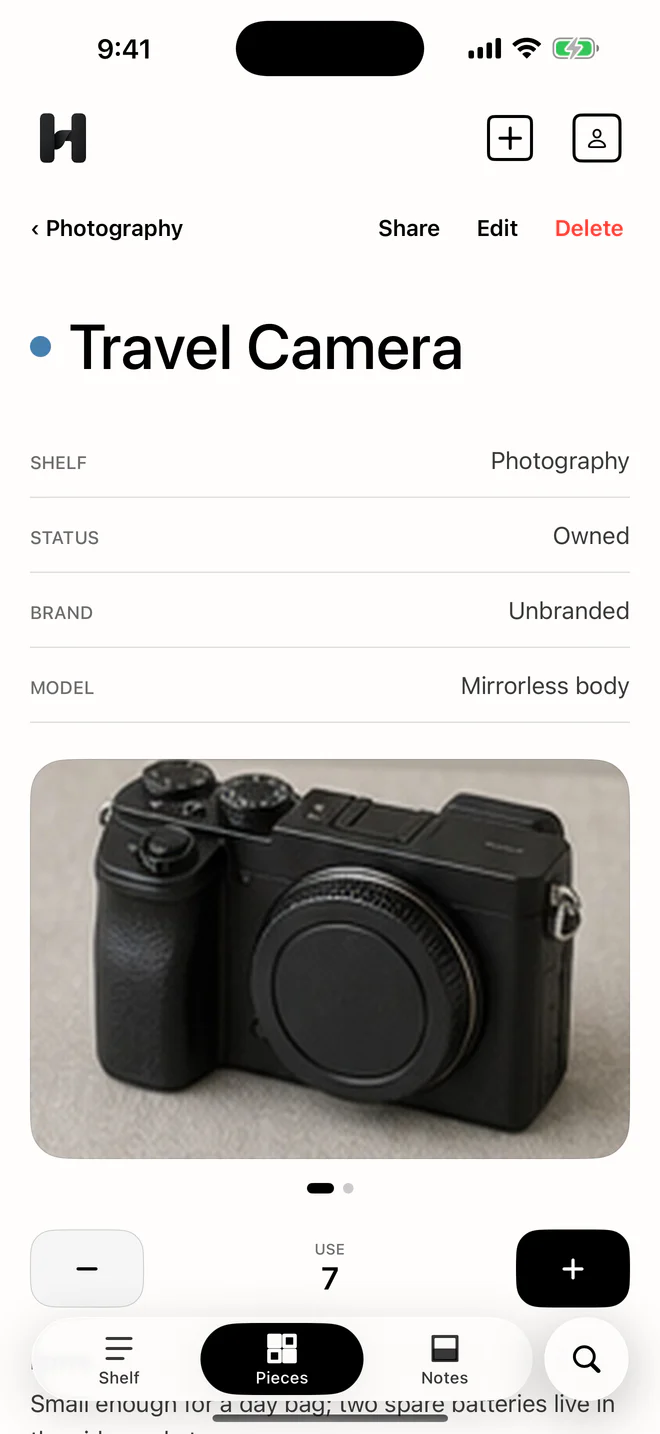
See the pieces. Keep the details.
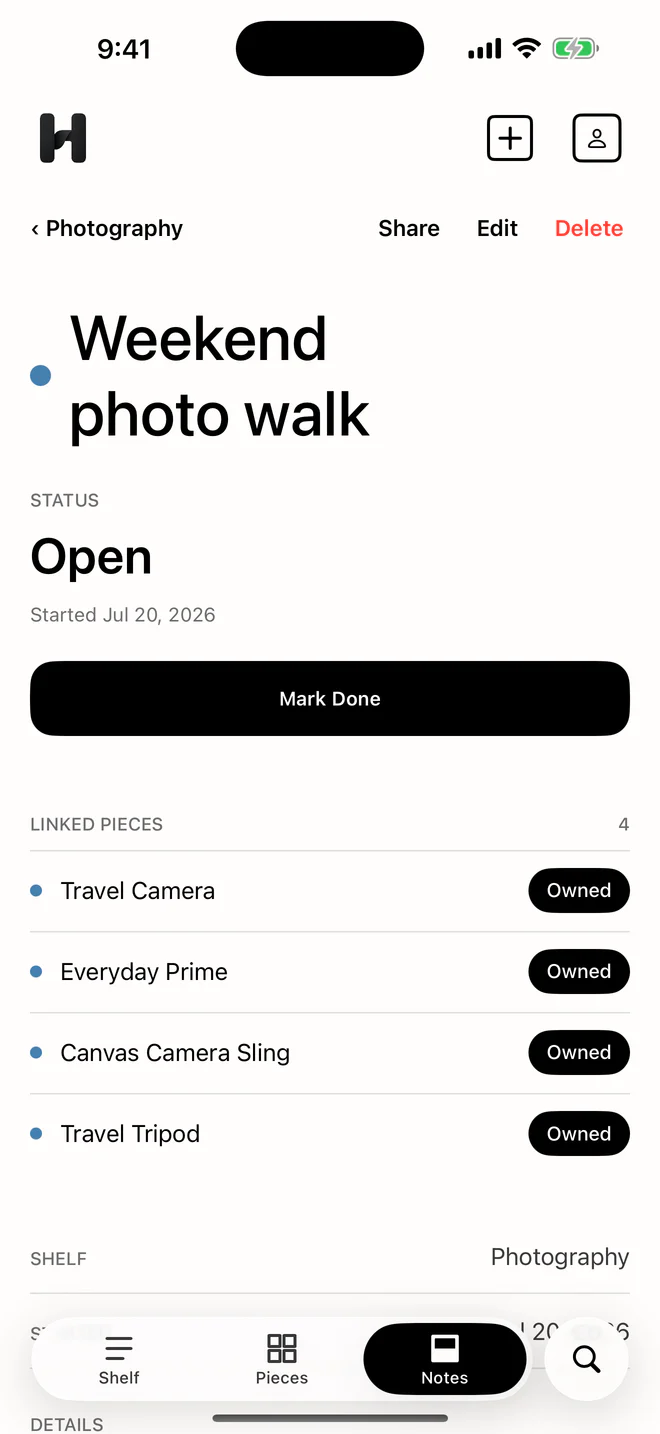
Example entries in the actual Hoblio app. The lens and packing templates below are plain text you enter yourself.
Camera gear inventory checklist
Keep what helps you recognize, find, and use it.
Every Hoblio piece has the same built-in fields: name, brand, model, Owned or Wanted status, purchase price, purchase date, one photo, Notes, and use history.
The following are suggestions, not built-in fields or verified data. Read them from your own equipment or documentation:
- Body and lens. Exact model, lens mount, filter thread, and any adapter you use. A shared brand does not establish compatibility.
- Small accessories. Battery or charger model, cable connector, filter size, and the pouch or bag where you keep them.
- Purchase and condition. Purchase date and price in the built-in fields; condition observations and dated service notes in Notes. Include a serial number only if you want that sensitive detail in your own record.
Do not turn uncertain information into a specification. “Mount: check before buying adapter” is more useful than a confident guess.
A template you can keep
Save yourself the second lookup.
Copy this into a Piece’s Notes, or into any plain-text note. Replace the brackets with information you have checked. Delete lines you do not need.
Lens mount: [read from this item]
Filter thread: [size marked on the lens]
Pairs with: [body or adapter you checked]
Battery / charger: [model, if relevant]
Kept in: [bag, pouch, or shelf]
Condition: [your observation and date]
Service: [date and work recorded]
Download the free text template. No sign-up or app required.
This is a manual template, not a set of dedicated Hoblio fields. Hoblio does not check a mount or recommend a compatible accessory.
Before your next shoot
Make a packing Note. Link the actual pieces.
Create a Note for a familiar outing, such as “Weekend walk.” Link the body, lens, battery, and other Pieces you plan to take. Add a short reminder to charge batteries and check that cards and cables are packed.
The inventory answers “What do I own?” The packing Note answers “What am I taking?” Keeping those questions separate means you do not have to recreate your whole list for each shoot.
If it helps, record use manually after the outing. Use history is optional and separate from daily ownership cost; Hoblio does not detect a shoot or log it automatically.
Check your list. Keep a backup.
Before buying a small accessory, check your Owned entries and the details you wrote down. Put a genuinely different item in Wanted so it stays separate from equipment already in your kit.
After important additions, export a Hoblio JSON backup and keep it somewhere you control. The export is not encrypted, so treat it carefully, especially if it contains serial numbers or purchase details. Read the backup FAQ before relying on a device-local record as your only copy.
A few useful distinctions.
Is Hoblio a camera specification database?
No. Hoblio does not automatically identify equipment, fetch specifications, scan a barcode, verify condition, or estimate market value. Use the manufacturer’s documentation for specifications; keep the details you need in manual Notes.
Would a spreadsheet be enough?
It may be. A spreadsheet is a sensible option for a table-first workflow. Hoblio is for a personal photo inventory with item details and connected Notes. It does not provide team checkouts, automatic compatibility matching, or a shared gear database.
Do I have to record every time I use something?
No. You can keep a useful inventory without recording use. If you choose to use the manual count, it remains separate from daily ownership cost.
Start with the bag you already carry.
Try one Shelf and up to ten Pieces free. Hoblio Pro is an optional one-time purchase that removes those quantity limits; your local price appears in the store. No subscription.
Core Shelf data stays on your device, without a Hoblio account or Hoblio-operated cloud sync. Read the privacy and backup details. Daily ownership cost is purchase price divided by days owned; manual use history stays separate.